

The run list
Ten runs per page, newest first:
While the tab is open the list refreshes every few seconds, so an in-progress run updates in place. Refreshing backs off while the tab sits idle and stops entirely while the browser tab is hidden.
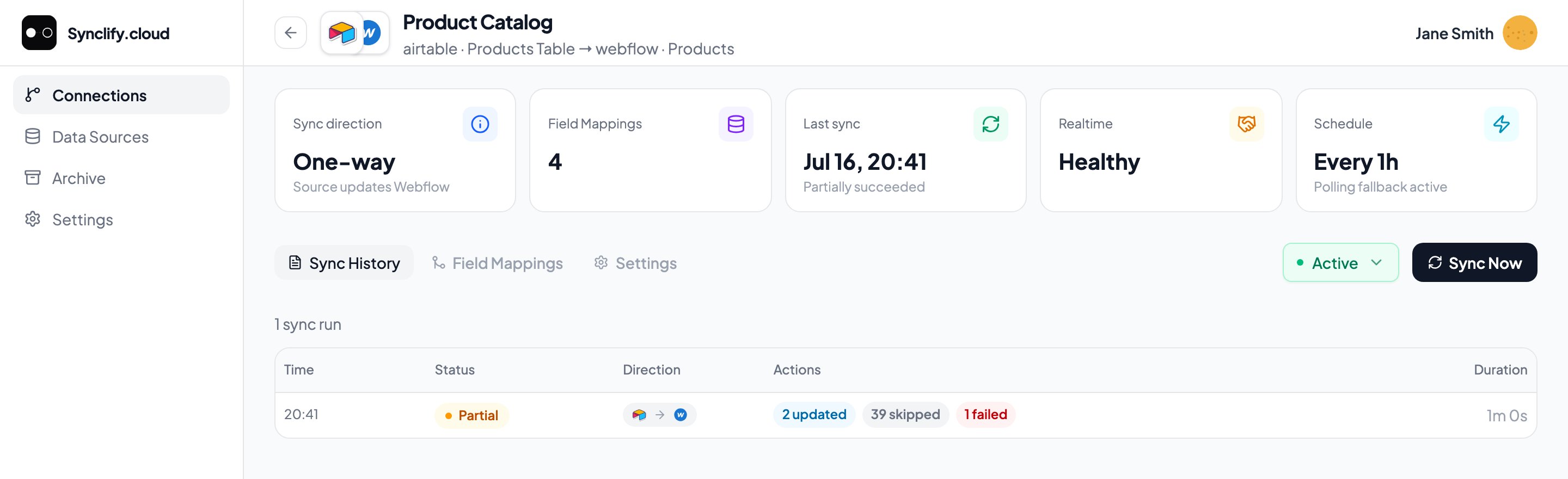
A partial run: 2 updated, 39 skipped, 1 failed. The failed record is the one worth opening.
Reading a status
A run’s displayed status is derived, not just echoed. Open conflicts render it as
awaiting_approval; failures alongside successful writes render it as partially_succeeded; failures alone render it as failed. A cancelled run always surfaces as cancelled — never as a failure.
Run detail
Click any run to see what it did, record by record. The detail view groups items into Failed, Updated, Created, Deleted, and Skipped. Each row names the record and shows the direction that write took, so a two-way run makes it obvious which side each change came from.Write evidence
An updated record lists the fields that changed, with their before and after values.Only fields whose values genuinely changed are listed. A sync that touches a record without altering a field does not pad the list with unchanged values. Newly created records show all their fields, because all of them are new.
No item details
No item details
Some runs record summary counts without per-record rows. The counts are still accurate. This is now the rare exception rather than the norm — if you need per-record detail, run the sync again and open the fresh run.
Why a run applied no changes
A run that writes nothing is usually doing exactly what you configured. Rather than claim everything was already up to date, Synclify says which of those reasons applied:
A reason Synclify has no wording for yet is still shown, spelled out as words: “This run applied no changes: .”
Common failure causes
A required Webflow field was empty
A required Webflow field was empty
Webflow rejects items missing a required field value. Fill the source column for those rows, or make the field optional in Webflow.
A value didn't fit the field type
A value didn't fit the field type
Field-type checks catch most of this at mapping time, but a value can still be rejected at write time — a number out of range, a malformed URL, an option that isn’t in Webflow’s allowed set.
Duplicate identity values
Duplicate identity values
Two source rows with the same identity value can’t both own the same Webflow item. Deduplicate in Airtable.
Rate limits
Rate limits
Heavy polling or a large first sync can hit Airtable or Webflow API limits, which surfaces as a
degraded account. Widen your polling interval.The provider account needs reauth
The provider account needs reauth
Check Data Sources. A
reauth required account stops syncs.