

Where they show up
- During guided setup — records that pair on the identity field but disagree on values.
- During a sync — the live drawer pauses after the write phase and asks you to Confirm publish.
- On the connection page — the conflicts panel lists anything unresolved.
Resolving one
Each conflict offers the resolutions that make sense for it. Synclify hides the ones that don’t apply.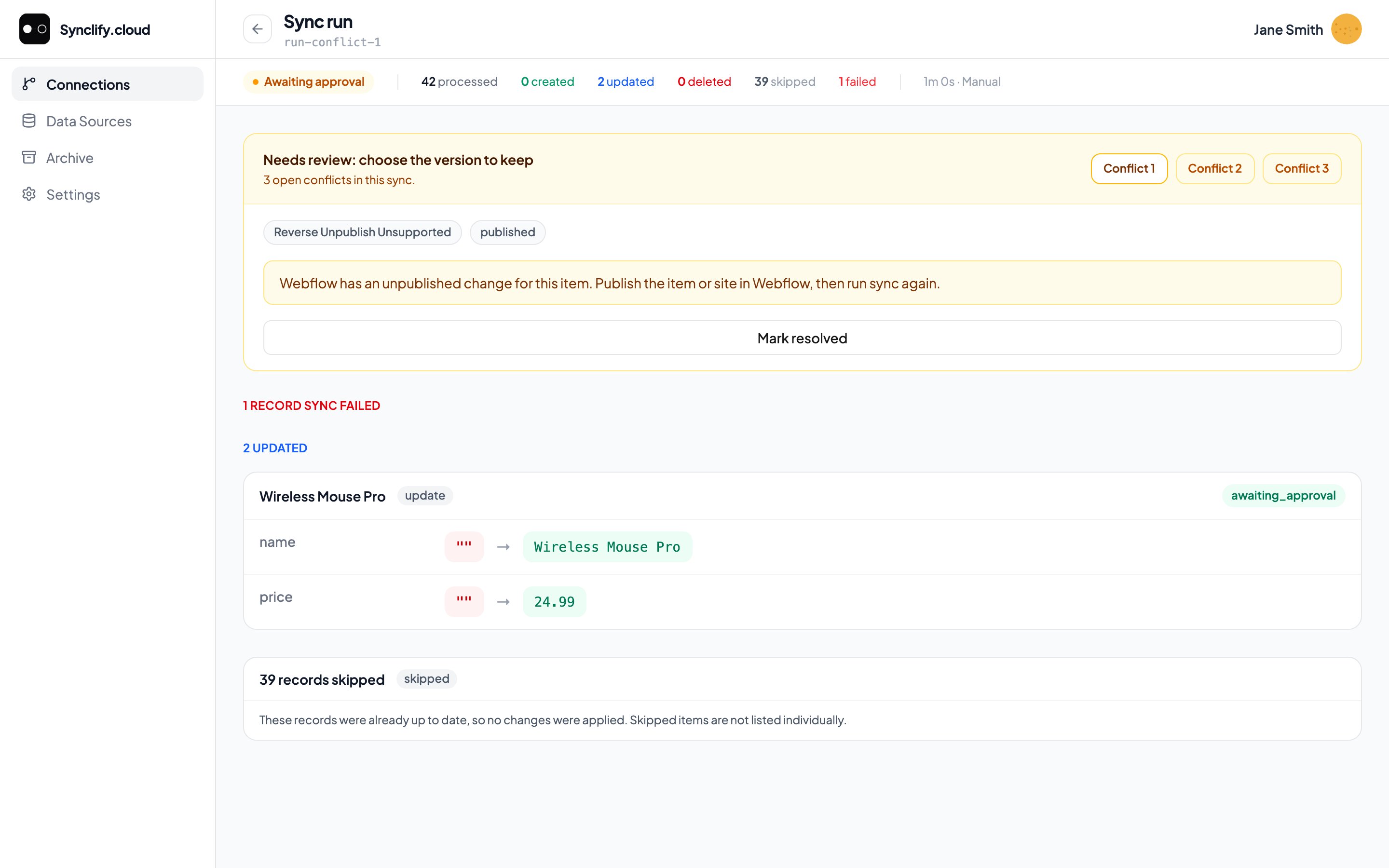
A run paused for review: three open conflicts, the reason for each, and the record-level changes behind them.
“This conflict type has no self-serve resolution. Contact support to resolve it.”Some conflicts need backend intervention. Support can clear them.
Avoiding conflicts
Conflicts are a symptom of two people owning the same field. The fix is usually structural, not procedural.1
Assign ownership per field
On a two-way connection, set each field to Airtable owns or Webflow owns wherever one side is genuinely authoritative. Reserve Two Way for the rare field both sides legitimately edit.Most “two-way” setups in practice have almost no truly two-way fields — copy is owned by Airtable, visuals by Webflow.
2
Use one-way where you can
If nobody edits mapped fields in Webflow, use a one-way connection. No conflicts are possible.
3
Don't edit the same record in both places
Where a field must be two-way, agree on a convention — writers touch it in Airtable, nobody touches it in Webflow between syncs.